

Vending machine took my money? 9 proven causes and easy fixes
Why machines eat coins, notes and card payments, what to do next and how owners can stop it happening.
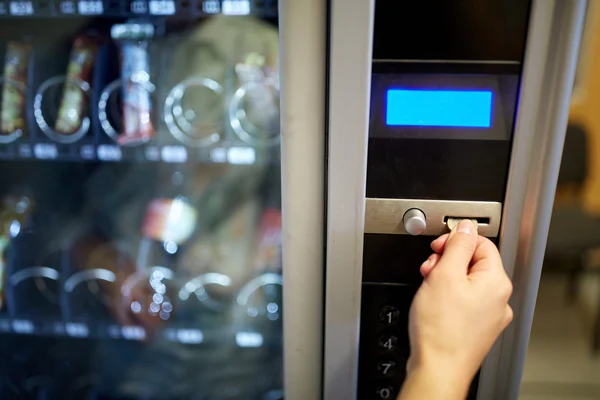
It’s one of the most common frustrations in everyday life. You put in a coin, a note or tap your card, and nothing happens. “The vending machine took my money” is a phrase almost everyone has said at least once.
This guide explains why it happens. It covers the nine real causes behind a vending machine that took my money, what to do next and how owners can stop it happening at their machines.
Quick answer: When a vending machine took my money, the cause is almost always a jam or fault, not a trick. Coins jam in the coin mechanism, notes catch in the reader, products fail to drop or card payments show as a temporary hold. Press the coin return, check your bank app, then contact the owner with the details.
Machines that don’t eat money
Tested machines with drop sensors, card payment and telemetry, from £695.
View Machines For Sale →Vending machine took my money: 9 proven causes
Here are the nine most common reasons behind a vending machine that took my money, and what’s really going on inside.
1. A coin jammed in the coin mechanism
The coin mechanism checks every coin as it rolls through. A bent, sticky or dirty coin can jam inside, so it neither registers as credit nor drops back out. Every coin after it may also get stuck.
2. A coin was accepted but not credited
Sometimes a coin passes the checks but isn’t counted, because of a sensor fault or a sorting error. The coin goes into the machine, but the display doesn’t change.
3. A note caught in the note reader
Note readers pull the note in and scan it. A crumpled, torn or folded note can catch halfway, and the reader may stop working until it’s cleared.
4. The note stacker or cash box was full
Accepted notes and spare coins are stored inside. If the stacker or cash box is full, the machine may jam or stop accepting payment properly.
5. The machine had no change
Machines give change from coin tubes. If they’re empty, the machine shows exact change only. Overpay and it may not be able to give you the difference.
6. The product didn’t drop
The most common reason a vending machine took my money. The spiral turned, but the product caught on the shelf or the next item. On machines without a drop sensor, the sale is recorded even though nothing fell.
7. A card hold looks like a charge
Many card readers place a temporary hold when you tap. If the vend fails, the hold is released, but it can show on your banking app for a few days, making it look like the vending machine took my money.
8. The card reader lost signal
Card readers usually connect over mobile data. A weak signal can leave a payment half-finished, with the money held but the machine never told to vend.
9. Power cut or reset mid-sale
If the machine loses power or restarts during a sale, credit on the display can be lost. The coins are still inside, so if a vending machine took my money this way, the owner can usually refund it.
What to do when a vending machine took my money
If a vending machine took my money, these simple steps give you the best chance of a quick refund.
- Don’t shake the machine: it’s heavy and can fall.
- Wait a moment: the machine may retry or offer another selection.
- Press the coin return: unused credit may come back.
- Check your bank app: see whether a card payment completed or is just a hold.
- Note the details: location, selection code, time, amount and payment method.
- Contact the owner: using the sticker, QR code or site staff.
Our vending machine refund guide explains the full process, including chargebacks if an owner doesn’t respond.
Vending machine took my money: coins
Coin problems are the oldest cause of a vending machine that took my money. Most come down to the coin itself or the state of the mechanism, and both are easy to check when a vending machine took my money.
- Bent or damaged coins: can jam the path.
- Sticky or dirty coins: can slow and stick inside.
- Foreign coins and tokens: similar sizes can confuse the mechanism.
- Old coins: the old round pound is no longer accepted and may cause problems.
- Inserting coins too fast: can cause a jam on some machines.
Insert coins one at a time and wait for the display to update before adding the next, so a jam doesn’t mean the vending machine took my money twice.
Vending machine took my money: notes
Notes are more fragile than coins, and a jammed note is a common reason a vending machine took my money. A note reader works best with flat, clean notes inserted the way the label shows.
Withdrawn paper notes are no longer accepted. The Bank of England explains which older notes have been withdrawn and how to exchange them. Machines also need updating to recognise new note designs, so an older reader may reject a newer note.
If a note goes in but no credit appears, don’t insert another one. Report it to the owner first.
Vending machine took my money: card payments
Card payments rarely lose money for good, even when it looks like the vending machine took my money. If a card vending machine took my money, the payment is usually a hold rather than a final charge.
- Pending holds: usually drop off within a few working days if the sale failed.
- Double taps: tapping twice can start two payments, so wait for the reader to respond.
- Signal problems: if the reader shows an error, don’t keep tapping.
If a completed charge stays on your statement for an item you didn’t get, contact the owner with the time and amount so they can match it in their sales data.
Vending machine took my money on a coffee machine
Hot drinks machines have their own causes. If a coffee vending machine took my money, it’s often one of these:
- No cup dropped: the cup stack ran out or a cup jammed, so the drink poured away.
- Ingredients ran out: a canister was empty, giving hot water or nothing.
- Water supply fault: the machine couldn’t fill or heat the water.
- Blocked dispenser: a mixing bowl or nozzle was blocked.
Most modern coffee machines check for a cup and ingredients before taking payment, which stops the problem. If a coffee vending machine took my money, report it to the owner with the details.
Your rights when a vending machine took my money
If a vending machine took my money and gave nothing back, you have the same rights as in any shop. Goods you pay for must be supplied, match the description and be of satisfactory quality.
That applies whether you paid by cash, card or phone. A sign saying no refunds doesn’t remove those rights.
Myths about machines that eat money
Myth: machines are set to keep money
Owners lose far more from lost customers than they gain from a stuck coin. When a vending machine took my money, it’s almost always a fault.
Myth: hitting the machine helps
It rarely frees a coin or product and can damage the machine or injure you. It can also break the glass.
Myth: pressing every button returns money
Only the coin return returns unused credit. Pressing random buttons just risks buying something you didn’t want.
Myth: card payments are riskier
Card payments are usually safer, because the reader only completes the charge once the product drops.
Vending machine took my money at work
Workplace machines are used most, so they’re where people most often say the vending machine took my money. The fix is usually quicker, because there’s someone on site to ask.
- Offices: tell reception or facilities, who usually know who runs the machine. See our guide to vending machines for offices.
- Warehouses and factories: report it to a shift manager. See vending machines for warehouses.
- Hospitals: check the sticker on the machine or ask at the main desk. See vending machines for hospitals.
- Universities: student services or security can usually help. See vending machines for universities.
Vending machine took my money: what not to do
- Don’t keep feeding coins: if the first one vanished, the next will too.
- Don’t insert another note: wait until the jam is cleared.
- Don’t keep tapping your card: it may start several holds.
- Don’t shake or tilt the machine: it can fall.
- Don’t put your hand inside: reaching up into the machine is dangerous.
The safest approach when a vending machine took my money is to stop, note the details and report it.
Is the machine keeping money on purpose?
Almost never, because when a vending machine took my money, it’s nearly always a fault. Owners make money from repeat customers, and a machine that eats money drives people away. Most owners are keen to know about faults so they can fix them.
If a vending machine took my money more than once at the same site, report it to the site manager as well as the owner. Repeated problems usually point to a fault that needs an engineer.
For owners: why your machine is eating money
If customers keep telling you the vending machine took my money, the machine is costing you more than refunds. Lost trust means lost sales.
| Problem | Likely fix |
|---|---|
| Coins jamming | Clean the coin mechanism and check for damage |
| Coins accepted, no credit | Check coin settings and sensors |
| Notes catching | Clean the note reader and check the stacker |
| No change given | Fill coin tubes on every visit |
| Products not dropping | Check spirals, product sizes and drop sensor |
| Card payments failing | Check signal and reader connection |
| Credit lost on restart | Check power supply and electrics |
Our vending machine troubleshooting guide explains each fix step by step.
How to stop a vending machine eating money
Owners can prevent almost every case of a vending machine that took my money with the right machine and routine.
Choose machines with drop sensors
A drop sensor confirms the product fell. If not, the machine retries, offers another selection or cancels the payment. It’s the single biggest fix for complaints that a vending machine took my money.
Clean payment systems regularly
Dust, sticky residue and debris build up in coin mechanisms and note readers. A regular clean prevents most jams. See our guide to how to clean a vending machine.
Keep coin tubes full and cash boxes empty
Fill the change tubes and empty the cash box and note stacker on every visit, two of the simplest ways to stop a vending machine that took my money. It stops exact change only warnings and full-box jams.
Load products correctly
Match each product to the right spiral size and face it forward. Our guide to restocking a vending machine explains how.
Go cashless
Card payment removes coin and note jams completely, and card readers only complete payment when the sale succeeds. With Irelley, card payment with telemetry costs £10 a month plus 2% per transaction. See our cashless payment guide.
Use telemetry
Telemetry alerts you to payment faults and failed vends remotely, often before customers notice. Our guide to vending machine telemetry explains how it works.
Owner checklist: when a customer says the vending machine took my money
- Reply quickly: acknowledge the message the same day if possible.
- Refund first: for small amounts, refund and investigate afterwards.
- Check the data: look at telemetry or the machine’s sales and error logs.
- Inspect the machine: check the coin mechanism, note reader, spiral and sensors.
- Fix the cause: clear jams, adjust spirals or call an engineer.
- Log it: record the date, cause and fix.
Patterns in your log show which machines or selections need attention. Our guide to vending machine maintenance covers a regular service routine.
A simple maintenance schedule
| Task | How often |
|---|---|
| Fill coin tubes and empty cash box | Every visit |
| Check spirals and product facing | Every visit |
| Wipe coin slot and note reader entry | Weekly |
| Clean coin mechanism and note reader | Monthly |
| Test drop sensor and card reader | Monthly |
| Full service | Every 6–12 months |
Sticking to a schedule is the easiest way to stop customers saying the vending machine took my money.
Make it easy for customers to report problems
Even the best machine has an occasional fault, so plan for the day a customer says the vending machine took my money. Make it easy for customers to tell you when a vending machine took my money.
- Put a sticker with a phone number, email or QR code on the front.
- Ask for the location, selection code, time and amount.
- Reply quickly and refund promptly.
- Thank customers for reporting faults.
Customers who report that a vending machine took my money and get a quick refund keep using the machine. Customers who get silence stop.
Vending machine took my money: old vs modern machines
Older machines
- No drop sensor
- Coins and notes only
- No fault alerts
- More jams and lost credit
Modern machines
- Drop sensors and retries
- Card and phone payment
- Telemetry alerts
- Far fewer complaints
Upgrading an older machine, or adding a card reader and telemetry, cuts the number of times customers say the vending machine took my money. Our guide to how vending machines work explains the technology.
Choosing a machine that won’t eat money
If you’re buying a machine, a few features make complaints that the vending machine took my money far less likely.
- Drop detection: confirms every product actually fell.
- Card reader with telemetry: fewer coins and remote fault alerts.
- Tested payment systems: coin mechanism, note reader and card reader checked before dispatch.
- Warranty and support: help when something does go wrong.
Every Irelley machine is tested before it leaves us, so you start with a machine that works properly from day one.
Stop hearing “the vending machine took my money”
For customers, the fix when a vending machine took my money is simple: stay calm, note the details and contact the owner. For owners, reliable machines, regular cleaning and card payment keep complaints rare.
Every Irelley machine is tested before dispatch, delivered and installed free and covered by a 12-month warranty. Browse our vending machines for sale or contact our team.
FAQ
Frequently asked questions
Usually because of a jam or fault: a coin stuck in the coin mechanism, a note caught in the reader, a full cash box, a product that didn’t drop or a payment system that lost connection. Very few machines are set up to keep money on purpose.
Press the coin return, check the display and, if you paid by card, check your bank app. Then note the location, selection code, time and amount, and contact the owner using the details on the machine.
In most cases, yes. You’re entitled to your money back if you paid and didn’t get your product, and most owners refund quickly when given clear details.
The coin may have been sorted wrongly or jammed inside the coin mechanism. The owner can usually find it when they open the machine.
The note reader may have jammed, or the note stacker may be full. Report it to the owner, who can clear the reader and check the stacker.
Many card readers place a temporary hold when you tap. If the vend fails, the hold is usually released, but it can take a few working days to disappear.
It means the machine is low on coins. If you overpay, it may not be able to give change, so pay the exact amount or use a card.
Machines should reject coins and notes they don’t accept, but damaged, bent or foreign items can jam the mechanism. Withdrawn paper notes and old round pounds are no longer accepted.
No. Vending machines are very heavy and can fall, causing serious injury. Contact the owner instead.
Choose machines with drop sensors, clean coin mechanisms and note readers regularly, keep coin tubes filled, empty cash boxes often and use card payment with telemetry to spot faults early.
Machines your customers can trust
Drop sensors, card payment, telemetry and a 12-month warranty.
[…] refund quickly and fix faults fast. Our guides to vending machine refunds and what to do when a vending machine took my money explain the process for staff and […]