

How to use a vending machine: 7 easy steps & proven tips
Pay by card, phone or cash, enter the code, collect your item and get change, plus what to do if something goes wrong.
Vending machines are everywhere in the UK, from offices and stations to gyms and hospitals. Most are quick and simple, but they don’t all work the same way, and a stuck snack or rejected coin can be frustrating.
This guide explains how to use a vending machine step by step. It covers paying by card, phone and cash, choosing a product, getting change, using coffee and touchscreen machines and what to do if something goes wrong.
Quick answer: Here’s how to use a vending machine. Find the product and its code, pay by card, phone or cash, enter the code on the keypad or tap it on the screen, then collect your item from the tray at the bottom. If you paid cash, take any change from the coin return.
Want a machine for your site?
Easy-to-use snack, drinks, combo and coffee machines with card payment, from £695.
View Machines For Sale →How to use a vending machine: 7 easy steps
Most machines follow the same basic process, so once you learn how to use a vending machine, you can use almost any of them. Here is how to use a vending machine in seven easy steps.
1. Look at the products
The first step in how to use a vending machine is to browse the products behind the glass or on the screen. Each item sits above or beside a label showing its price and a selection code, such as A3 or 14.
2. Check the price and code
Make a note of the code for the product you want. Check the price so you know how much to pay.
3. Check the payment options
Look for the payment symbols on the front. A contactless symbol means you can tap a card or phone. A coin slot and note reader mean cash is accepted.
4. Pay or choose first
On cash machines, insert coins or notes first and watch the credit appear on the display. On many card machines, you enter the code first and then tap to pay. The display tells you which.
5. Enter the selection code
Type the code on the keypad, or tap the product on a touchscreen. Double-check the code before you press the final digit.
6. Wait for the product to drop
The spiral turns and the product falls into the collection tray at the bottom. Drinks machines with a lift may take a few seconds longer.
7. Collect your item and change
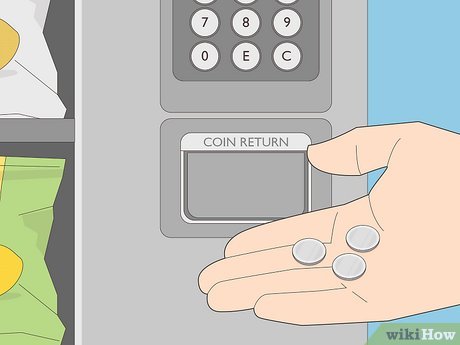
Push the flap and take your item. If you paid cash, collect any change from the coin return.
How to use a vending machine with a card
Card payment is now the most common way to pay, and it’s the easiest answer to how to use a vending machine quickly. Here’s how to use a vending machine with a contactless card.
- Choose your product and enter the code, if the machine asks for it first.
- Wait for the card reader to show the price and ask you to tap.
- Hold your card flat against the contactless symbol until it beeps or shows approved.
- Collect your item once it drops.
Some readers ask you to tap first. They place a small temporary hold on your card, then charge only the price of the product you choose. Follow the screen prompts.
The UK contactless limit is £100 per payment, far above any vending price, so you shouldn’t be asked for your PIN.
How to use a vending machine with your phone or watch
Apple Pay, Google Pay and smartwatch payments work on most modern card readers. Knowing how to use a vending machine with your phone saves you carrying a wallet.
- iPhone: double-click the side button, check with Face ID or your passcode, then hold the phone near the reader.
- Android: unlock your phone and hold it near the reader.
- Watch: open your wallet on the watch and hold it near the reader.
If the payment doesn’t go through, hold the device still and closer to the symbol, then try again.
How to use a vending machine with cash
Paying with coins
Cash is the traditional answer to how to use a vending machine. Insert coins one at a time into the coin slot, and the display shows your credit as each one is accepted. If a coin is rejected, it drops into the coin return, so pick it up and try another.
Paying with notes
Flatten the note and insert it face up, in the direction shown on the label. The reader pulls it in and checks it. If it’s pushed back out, smooth it out, turn it around and try again.
Getting change
Change comes out of the coin return after your product drops. If the display says exact change only, the machine is low on coins, so pay the exact price or use a card.
Getting your money back
Changed your mind? Press the coin return button or lever before making a selection, and the machine should return your credit.
How to use a vending machine with a touchscreen
Touchscreen machines replace the keypad with a screen. Here’s how to use a vending machine with a touchscreen, step by step:
- Tap the screen to wake it up.
- Browse categories or scroll through products.
- Tap a product to see the price and details, including allergen or nutrition information if shown.
- Add it to your basket, or tap buy.
- Pay by card or phone when asked.
- Collect your item from the tray.
Some touchscreen machines let you buy more than one item in a single payment. Our grey touchscreen combo machine is one example.
How to use a vending machine for coffee
Learning how to use a vending machine for hot drinks takes a moment longer, because they work a little differently from snack machines. Here’s how to use a vending machine for coffee, tea or hot chocolate.
- Choose your drink: select it on the keypad or screen.
- Adjust it: some machines let you change strength, milk or sugar.
- Pay: by card, phone or cash.
- Check the cup: a cup usually drops automatically. Some machines let you use your own.
- Wait: don’t remove the cup until the drink has finished pouring and the display says it’s ready.
- Take care: the drink will be hot.
Our premium gourmet coffee machine shows the kind of hot drinks machine you’ll see in modern offices.
How to use a vending machine for drinks
How to use a vending machine for drinks is the same as for snacks. A few tips help:
- Let fizzy drinks settle: cans and bottles can get a shake as they drop, so wait a moment before opening.
- Check the lift: some glass-front machines use a lift that brings the bottle down to a hatch.
- Look for the deposit: from October 2027, many drinks containers will carry a 20p deposit under the deposit return scheme, refunded when you return the empty.
Our guide to reverse vending machines UK explains how returning containers will work.
How to use a vending machine for food
Chilled food machines sell sandwiches, salads, meals and snacks. Here’s how to use a vending machine for food safely.
- Check the date: look at the use-by date on the label through the glass or screen.
- Check the temperature: avoid buying if the display shows a temperature warning.
- Check the door type: some food machines open a locker or door for you to take the item.
- Heat with care: if a microwave is nearby, follow the heating instructions on the pack.
Our guides to food vending machines and the hot food vending machine explain how these machines keep food safe.
How to use a vending machine at work, college or the gym
How to use a vending machine is the same wherever it is, but each site has its own habits.
- Offices: machines often take card only. See our guide to vending machines for offices.
- Gyms: water, sports drinks and protein snacks are the bestsellers. See vending machines for gyms.
- Universities: busy at exam times and late at night. See vending machines for universities.
- Hospitals: open 24 hours for staff, patients and visitors. See vending machines for hospitals.
- Warehouses: machines serve shift workers around the clock. See vending machines for warehouses.
How to use a vending machine with an app or QR code
Some newer machines show a QR code instead of, or as well as, a card reader. Here’s how to use a vending machine that works this way.
- Scan the QR code with your phone camera.
- Choose your product on the web page or app that opens.
- Pay on your phone.
- Wait for the machine to release your item.
Only scan codes printed on the machine itself, and check the web address looks genuine before paying. If anything looks odd, pay by card at the reader instead.
What to do if your item gets stuck
Even when you know exactly how to use a vending machine, products sometimes catch on the spiral. Here’s what to do.
- Wait a moment: many machines have a sensor that spots a failed drop and tries again.
- Check the display: it may offer another selection or a refund.
- Buy the item behind it carefully: only if you’re happy to pay again, as this sometimes pushes both down.
- Contact the owner: most machines show a phone number or email on a sticker.
Never shake, rock or tilt a machine. Vending machines are very heavy and can fall, causing serious injury.
How to get a refund from a vending machine
Knowing how to use a vending machine includes knowing your rights. If you paid and didn’t get your product, you’re entitled to a refund. Under the Consumer Rights Act 2015, goods you pay for must be supplied as described.
- Note the machine’s location and selection code.
- Note the time and how you paid.
- Check your banking app, as failed card payments are often cancelled automatically.
- Contact the owner using the details on the machine, or ask staff at the site.
Most owners refund quickly, especially when you give clear details.
Common problems and quick fixes
| Problem | What to try |
|---|---|
| Coin rejected | Try another coin, or pay by card |
| Note pushed back out | Flatten it, turn it around and retry |
| Exact change only | Pay the exact amount or use a card |
| Card declined | Hold it flat and still, or try your phone |
| Sold out message | Choose another product |
| Item stuck | Wait, check the display, then contact the owner |
| Screen blank | Tap to wake it, or report it as out of order |
How to use a vending machine safely
Safety is the most important part of how to use a vending machine. Follow these simple rules.
- Never put your hand up inside the collection tray beyond the flap.
- Never shake, rock or lean on a machine.
- Report damage, broken glass or loose panels to the site.
- Take care with hot drinks.
- Check allergen information before buying food.
Allergens and food from vending machines
If you have an allergy, part of knowing how to use a vending machine is checking the packaging through the glass or on the touchscreen before you buy. Many products are prepacked, so allergens must be shown on the label.
If you can’t read the label clearly, contact the owner before buying. Chilled food should be kept cold, so avoid any machine where the display shows a temperature warning.
How to use a vending machine if you have a disability
Machines vary in height and layout, which can change how to use a vending machine comfortably. If a machine is hard to reach or read, these tips help:
- Card payment: often easier than handling coins.
- Touchscreens: larger text and pictures can help, though not everyone finds them easier.
- Ask for help: site staff or reception can usually assist.
Owners can make how to use a vending machine obvious by choosing machines with clear labels, card payment and controls at a reachable height.
For owners: making your machine easy to use
If you run a machine, showing customers how to use a vending machine clearly increases sales. Customers who know how to use a vending machine quickly will come back.
- Clear labels: every product needs a visible price and code.
- Card payment: most customers expect it. With Irelley, card payment with telemetry costs £10 a month plus 2% per transaction.
- Good lighting: LED lighting shows the products clearly.
- Contact details: a sticker with a phone number or email for refunds.
- Regular checks: keep coin tubes filled and clear jams fast.
Our guides to the vending machine contactless payment UK options and vending machine troubleshooting help owners keep machines running smoothly.
Mistakes to avoid when you use a vending machine
- Entering the wrong code: double-check the label directly under the product.
- Inserting crumpled notes: flatten them first.
- Walking away too soon: wait for change and the end of the transaction.
- Pulling a hot drink early: wait until it has finished pouring.
- Shaking the machine: it’s dangerous and rarely works.
Knowing how to use a vending machine properly avoids almost all of these problems. If you’re curious about what happens inside, our guide to how vending machines work explains the technology.
How to use a vending machine: quick tips
Here’s a quick recap of how to use a vending machine without any fuss. Keep these tips in mind and you’ll rarely have a problem.
- Check the price and code before you pay.
- Use card or phone for speed and fewer problems.
- Keep a few coins as a backup for cash-only machines.
- Let fizzy drinks settle before opening.
- Never shake a machine to free a stuck item.
- Note the machine details if you need a refund.
Now you know how to use a vending machine
Learning how to use a vending machine takes seconds once you know the steps: find the code, pay, select and collect. If anything goes wrong, stay safe and contact the owner.
Want a machine for your workplace or business? Browse our vending machines for sale or contact our team. Every machine is tested, delivered and installed free, and covered by a 12-month warranty.
FAQ
Frequently asked questions
Check the price and code under the product you want, pay by card, phone or cash, enter the code on the keypad or tap it on the screen, then collect your item from the tray at the bottom.
It depends on the machine. Cash machines usually want payment first. Many card machines let you choose first, then ask you to tap. Follow the prompts on the display.
Unlock your phone, open your wallet if needed and hold it near the contactless symbol on the card reader when the machine asks for payment. Apple Pay and Google Pay work on most modern card readers.
Don’t shake or tilt the machine. Check whether it offers another try or another selection. If not, note the machine details and contact the owner using the number or email on the machine.
Many machines detect a failed vend and return cash or cancel the card payment automatically. If not, contact the owner. Under UK consumer law you’re entitled to what you paid for.
It may be worn, bent, foreign or not accepted, or the change tubes may be empty. Try another coin, flatten the note or pay by card.
The machine is low on coins for change. Pay the exact amount or use a card instead.
Choose your drink, adjust strength, milk or sugar if offered, pay, and wait until the drink has finished pouring before removing the cup. Some machines let you use your own cup.
Yes, though some products are restricted. In England, schools follow school food standards, and a ban on selling high-caffeine energy drinks to under-16s, including through vending machines, is planned from April 2027, subject to Parliamentary approval.
The UK contactless limit is £100 per payment, far above vending prices. Phone and watch payments usually use your device’s security, so the limit doesn’t normally apply in the same way.
Easy-to-use machines for your site
Card payment, a 12-month warranty and free UK delivery and installation.
[…] and be of satisfactory quality. A vending machine is no different from a shop counter. Our guide on how to use a vending machine covers the basics for […]
[…] everyone knows every machine. Offer a hand if someone is struggling. Our guide on how to use a vending machine covers the […]