

Vending machine troubleshooting: 7 critical fixes, best tips
Quick fixes for coin, card, product and cooling faults, plus when to stop and call an engineer.
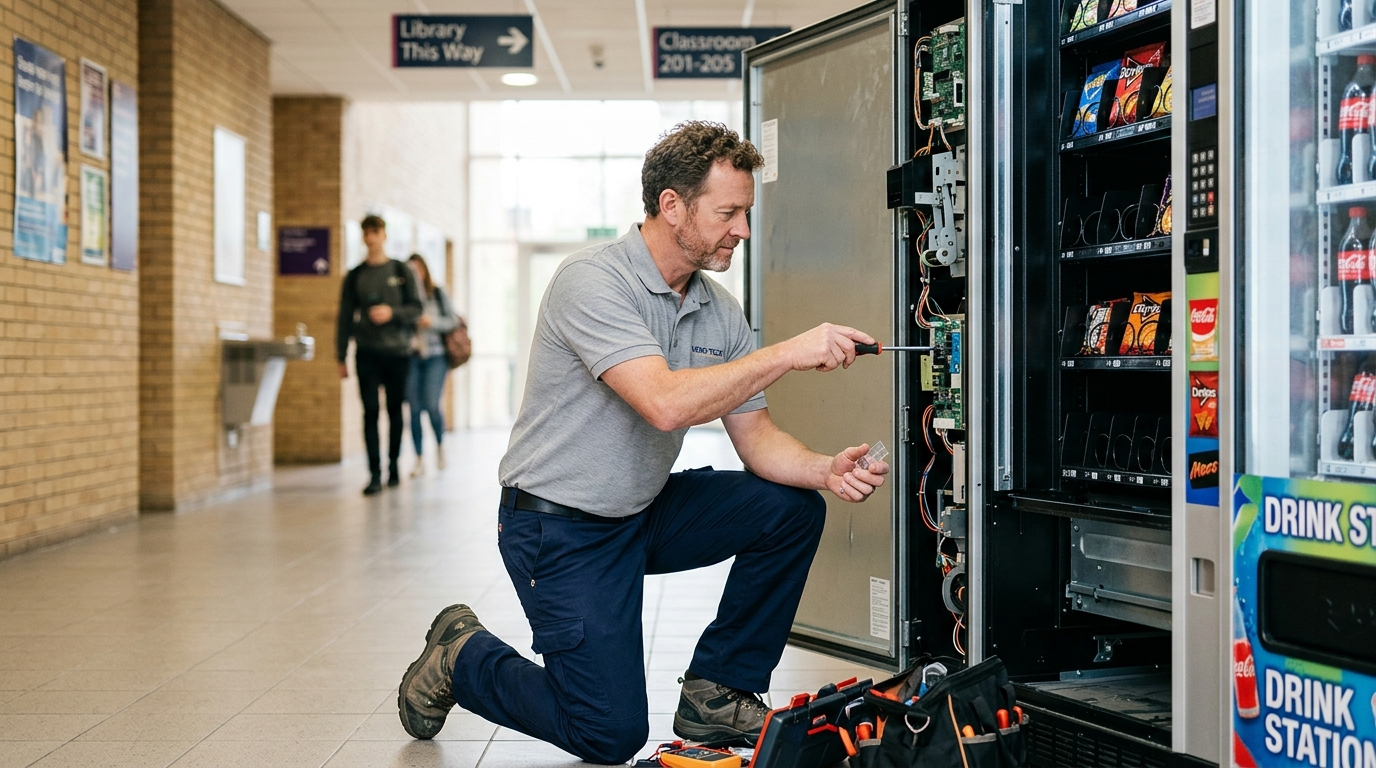
Vending machine troubleshooting is a skill every owner and operator needs. Most faults are simple, from a jammed coin to a misloaded spiral, and you can often fix them in minutes without calling anyone out.
This guide covers 7 critical fixes for the most common vending machine problems: coin and note faults, card reader issues, stuck products, cooling problems, blank screens and error codes. It also explains when to stop and call an engineer.
Support when you need it
Every Irelley machine comes with a 12-month warranty covering parts and remote support.
See Our Warranty →Safety first
Before any vending machine troubleshooting, think about safety first. Vending machines run on mains electricity and many contain refrigeration systems, so some faults are not DIY jobs.
Switch off and unplug the machine before reaching inside, and never open covers over live electrical parts. The HSE’s guidance on electrical safety at work explains why only competent people should work on electrical equipment.
Refrigeration repairs are outside DIY vending machine troubleshooting and need a qualified engineer. If in doubt, stop and call for help.
A simple vending machine troubleshooting routine
Good vending machine troubleshooting follows the same order every time. Working through the steps stops you missing the obvious.
- Observe: note exactly what the machine is doing, and any error code
- Check power: socket, plug fuse and switches
- Restart: switch off, wait a minute and switch on again
- Inspect: look for jams, dirt, loose cables and misloaded products
- Consult the manual: follow the manufacturer’s steps for that fault
- Escalate: call an engineer if the fault involves electrics or refrigeration
A restart fixes a surprising number of faults, especially with card readers and displays. It’s always the first step in vending machine troubleshooting.
7 critical vending machine troubleshooting fixes
These seven vending machine troubleshooting fixes cover the faults owners see most often.
1. Machine not accepting coins
Check whether the coin return is jammed, the coin tubes are full or the cash box needs emptying. Clean the coin path as the manual describes, as dirt and sticky residue often cause rejections.
2. Notes rejected
Note validators reject worn, folded or damp notes, and they need occasional cleaning. Check that the validator is seated correctly and that the note stacker isn’t full.
3. Card reader not working
Most card reader faults come down to signal, power or a loose cable. Restart the machine, check the mobile signal at the spot and make sure the reader’s cable is firmly connected.
4. Products stuck or not dropping
Stuck products usually mean the wrong spiral size, an item loaded at an angle or a spiral that has slipped. Reload the column carefully and check that the spiral matches the product.
5. Machine not cooling
Check the condenser for dust, the door seal for gaps and that nothing is blocking the vents. Overloading warm stock at once can also overwhelm the fridge for a few hours.
6. Display blank or machine dead
As a first vending machine troubleshooting step, check the socket, plug fuse and any switch on the machine. If the machine still won’t power up, call an engineer rather than opening electrical panels.
7. Error codes
Look up the code in the machine’s manual, as it usually points vending machine troubleshooting straight to the problem. Many codes clear after the cause is fixed and the machine is restarted.
“Most vending machine troubleshooting starts with three questions: is it powered, is it clean, and is it loaded correctly?”
Coin mechanism problems
In vending machine troubleshooting, the coin mechanism comes up again and again, because it’s one of the busiest parts of any machine. Dirt, sticky drinks and foreign coins all cause trouble.
If coins drop straight to the return tray, the validator may be dirty or set to reject certain coins. Cleaning the coin path, following the manufacturer’s instructions, fixes many of these problems.
If the machine says “exact change only”, the change tubes are low. Refill them with the right coins and the message usually clears.
Going cashless removes most coin problems entirely. Our contactless vending machine guide explains the switch.
Card reader troubleshooting
Card reader vending machine troubleshooting starts with three things: power, a data connection and a working link to the machine. A fault in any of the three stops payments.
Start by restarting the machine, then check the reader’s display for a signal or error message. Weak mobile signal is the most common cause, especially in basements, metal buildings and rural sites.
If the reader shows payments but the machine doesn’t vend, check the connection between the reader and the machine. Our cashless payment guide covers how the systems work together.
Stuck and jammed products
In vending machine troubleshooting, stuck products are the fault customers notice most. It’s also one of the easiest faults to prevent.
Match spiral sizes to product sizes, load items flat and facing the same way, and never overfill a column. Check that spirals sit correctly in their motors after cleaning.
If a product sticks repeatedly, try a different spiral or move the product to another column. Our guide on how to restock a vending machine covers correct loading.
Cooling problems
Warm drinks lose sales fast, so cooling faults need quick vending machine troubleshooting. Start with the simple checks.
- Condenser: clean dust from the coils, which is a very common cause
- Door seal: look for gaps, tears or a door that doesn’t close fully
- Airflow: keep space around the machine and vents clear
- Temperature setting: check it hasn’t been changed
- Stock: loading lots of warm stock takes time to chill
If the machine still won’t cool, or you hear unusual compressor noises, call an engineer. Refrigerant work must be done by a qualified technician.
Our take: most vending machine troubleshooting is simple: check power, clean the coin and card systems, load products correctly and keep the condenser clean. Leave electrical and refrigeration repairs to engineers.
Vending machine troubleshooting by machine type
Different machines have their own common faults, so vending machine troubleshooting varies by type.
Snack machines
Most snack machine problems are stuck products and spiral issues. Correct loading and the right spiral sizes solve the majority, as with our classic snack machine.
Cold drinks machines
Drinks machines add cooling to the list. Vending machine troubleshooting here starts with the condenser, door seal and airflow.
Coffee machines
Hot drinks machines need regular descaling, ingredient checks and cleaning of mixing bowls. Many faults on a coffee machine come from limescale or empty canisters.
Combo machines
Combos combine snack and drink faults in one cabinet. Our touchscreen combo also has a screen to keep clean and responsive.
Frozen and specialist machines
Freezer and specialist machines need careful temperature monitoring. Any vending machine troubleshooting on refrigeration beyond basic checks should go to an engineer.
Touchscreen faults
Touchscreens can freeze, lag or stop responding in one area. A restart is the first vending machine troubleshooting step, followed by cleaning the screen with an approved cloth.
Dead spots or cracks usually mean the screen needs replacing by an engineer. Machines like our grey touchscreen combo are covered for parts under warranty.
Power and display faults
If the machine is completely dead, the first vending machine troubleshooting step is to check the socket with another appliance and the plug fuse. Make sure no switch on the machine or wall has been turned off.
If the display flickers or the machine restarts by itself, there may be a power supply or internal fault. That’s a job for an engineer.
Water leaks
In vending machine troubleshooting, water under a chilled machine usually points to a blocked drain or a defrost tray that needs emptying. Check the drain line and tray following the manual.
Make sure the machine is level, as a tilted cabinet can stop water draining properly, a detail often missed in vending machine troubleshooting. Persistent leaks need an engineer.
Tools to carry
A small toolkit makes vending machine troubleshooting much easier on a route. Keep it in the van so it’s always to hand.
- The machine’s manual and error code list, printed or on your phone
- Soft cloths, approved cleaners and a small brush for the coin path
- A torch for checking spirals, drains and the back of the machine
- Spare plug fuses and a socket tester
- Spare spirals and price labels
Leave electrical testing and refrigeration tools to qualified engineers.
Keep a fault log
Record every fault, what you did and whether it worked. Over time, the log shows patterns that make vending machine troubleshooting faster.
A machine that jams every week on the same column, or a site where card readers drop signal every evening, points to a root cause you can fix. Engineers also find a log helpful when diagnosing harder problems.
Telemetry systems often keep a fault history automatically, which saves time.
Seasonal faults
Summer heat makes refrigeration work harder, so cooling faults rise in hot weather. Clean condensers before summer and keep machines out of direct sun.
Winter brings different problems, especially outdoors: frost on payment panels, condensation and slow screens. Seasonal vending machine troubleshooting means checking for these at the right time of year.
Our guide to vending machine electricity costs explains why a struggling fridge also pushes up running costs.
Using remote alerts
Machines with telemetry make vending machine troubleshooting easier by warning you about faults before customers notice. Payment errors, temperature alarms and door alerts all show up on your phone.
That makes vending machine troubleshooting faster, because you arrive knowing what’s wrong. Card payments with telemetry cost £10 a month plus 2% per transaction with Irelley.
Preventing problems
Regular maintenance prevents most faults and cuts the need for vending machine troubleshooting. Clean the machine, check seals and test payments at every visit.
Our guides to vending machine maintenance and cleaning a vending machine set out a simple routine.
Owners and operators
If you own a single machine at your business, basic vending machine troubleshooting is worth learning. Staff who can clear a jam or restart a card reader keep the machine earning.
Operators with many machines need a clear process: what drivers fix on the spot, what gets logged, and what goes to an engineer. Consistent vending machine troubleshooting across a route saves time and repeat visits.
If you rely on an operator through free placement, agree response times in writing. Our guide to vending machine contracts explains what to include.
Handling customer refunds
When a machine takes money without vending, customers want a refund fast. Display a contact number or QR code on the machine so they can report problems.
Card payments make refunds easier, as transactions can be traced. Quick, friendly refunds protect your reputation while you sort out the fault.
A quick visit checklist
Use this quick checklist at every visit to catch problems early:
- Does a test payment work by card and by coin?
- Are all columns loaded flat with the right spirals?
- Is the cabinet at the right temperature?
- Is the condenser clean and the area around vents clear?
- Does the door close and seal properly?
- Are there any error codes on the display?
Ticking these off takes a couple of minutes and prevents many of the faults covered in this vending machine troubleshooting guide.
Training staff
A few minutes of training lets site staff handle basic vending machine troubleshooting. Show them how to restart the machine, clear a simple jam and check the card reader.
Make clear what they shouldn’t touch, such as electrical panels and refrigeration parts. A short laminated guide inside the cabinet door helps.
Trained staff turn a lost day of sales into a five-minute fix.
When to call an engineer
Call an engineer when a fault involves:
- Electrical components, wiring or power supplies inside the machine
- Refrigeration, compressors or refrigerant
- Burning smells, smoke or sparks
- Repeated error codes after restarting
- Parts that need replacing, such as motors or boards
Irelley’s warranty covers parts and remote support for 12 months, with engineer labour charged separately. Our team can often diagnose problems remotely before a visit.
Remote support from Irelley
Every Irelley machine comes with remote support for 12 months. Our team can often walk you through vending machine troubleshooting by phone or video and identify the fault without a visit.
If parts are needed, they’re covered under the 12-month warranty, with engineer labour charged separately. Remote diagnosis means the engineer arrives with the right parts.
Older and refurbished machines
Older machines need more vending machine troubleshooting, especially around coin mechanisms, seals and refrigeration. A good refurbishment replaces worn parts before they fail.
If you’re buying second-hand, our refurbished vending machines buyer’s guide explains what to check.
Warranty claims
Careful vending machine troubleshooting also helps with warranty claims. Photos of the fault, error codes and notes of what you’ve tried all speed things up.
Avoid opening sealed components or attempting repairs that could affect your cover. If you’re unsure, contact the supplier before going further.
Keeping a record of maintenance shows the machine has been looked after, which supports any claim. Our vending machine insurance guide explains how insurance can cover damage that a warranty doesn’t.
Common mistakes
The most common vending machine troubleshooting mistake is opening electrical panels without switching off. Always isolate the power first.
The second vending machine troubleshooting mistake is forcing jammed products out by shaking or tilting the machine. That can damage the machine and injure people.
The third is ignoring small faults that quick vending machine troubleshooting would fix. A slow coin mechanism or a weak door seal soon becomes a bigger, costlier problem.
Buying from Irelley
Every Irelley machine comes with a 12-month warranty covering parts and remote support. See our warranty for details, or contact our team for help.
Browse our vending machines for sale, delivered and installed free anywhere in the UK within 24 hours.
FAQ
Frequently asked questions
Common causes are a jammed or dirty coin mechanism, full coin tubes, a cash box that needs emptying, or the machine running low on change. Switch off, clear any jam and clean the coin path following the manual.
Usually a weak mobile signal, a loose cable or a reader that needs restarting. Power-cycling the machine and checking signal at the spot fixes most card reader faults.
Stuck products are often caused by the wrong spiral size, products loaded at an angle, or a spiral that has moved out of position. Reload the column correctly and check the spiral settings.
Check the condenser for dust, the door seal for gaps, and that vents aren’t blocked. If the fridge still won’t cool, call an engineer, as refrigerant work needs a qualified technician.
Call an engineer for electrical faults inside the machine, refrigeration problems, burning smells, repeated error codes or anything that needs parts replacing. Never open live electrical components yourself.
Back up and running
Reliable machines with a 12-month warranty and remote support, delivered and installed free.
[…] a vending machine and vending machine maintenance cover the routine. If something goes wrong, our vending machine troubleshooting guide helps with stuck products and payment […]